


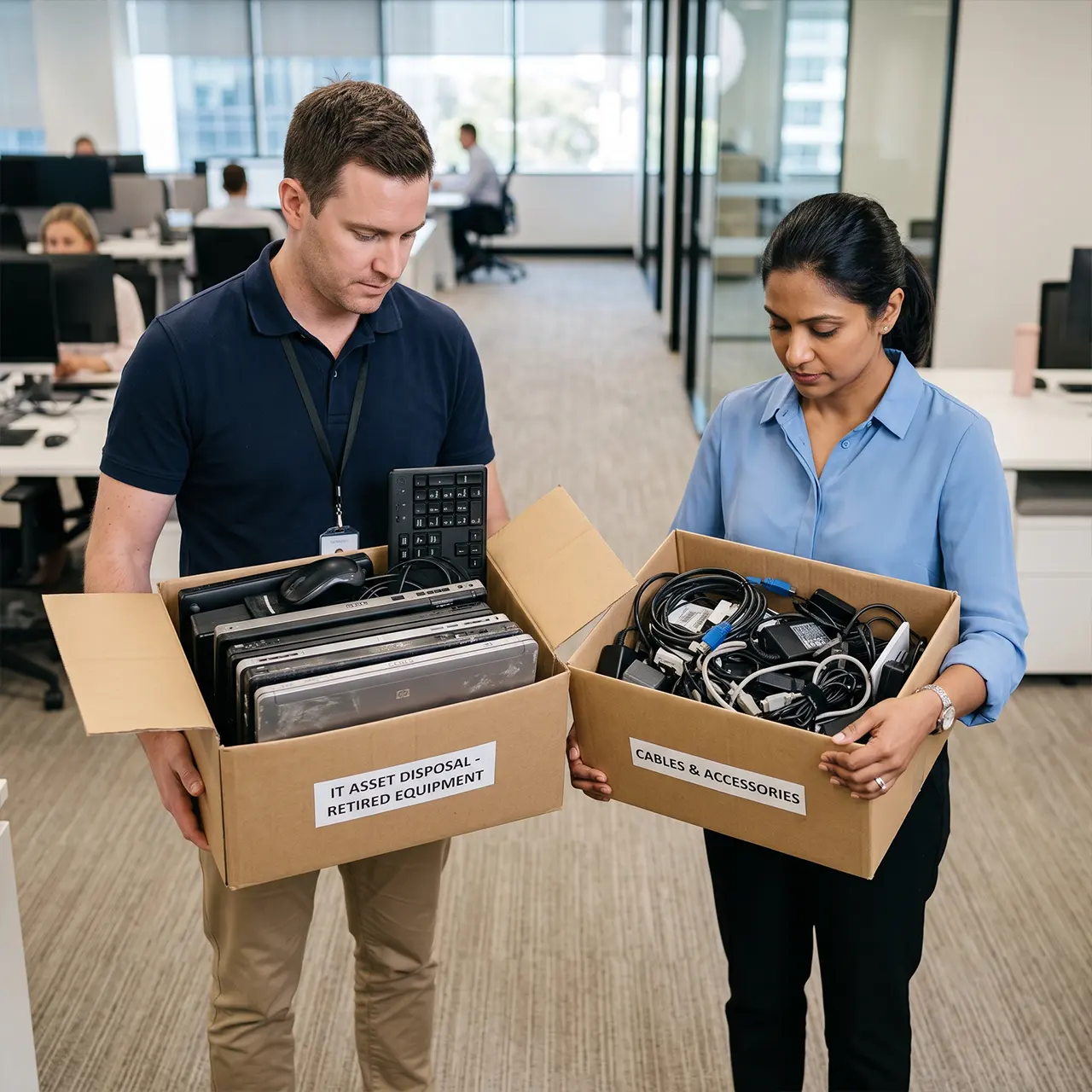
Disposing of IT Equipment Isn’t Just About Getting Rid of Old Devices
Every business eventually reaches the point where computers, laptops, servers, networking equipment and storage devices need to be replaced.
For many organisations, the process seems straightforward: remove the old equipment, recycle it or sell it, and move on.
However, disposing of IT equipment involves far more than removing outdated hardware from the office.
Retired technology often contains sensitive business information, including customer records, financial documents, employee data, emails, login credentials and confidential intellectual property. If this information isn’t securely destroyed before disposal, it can expose businesses to cyber security risks, reputational damage and potential legal consequences.
At the same time, Melbourne’s organisations are facing increasing expectations around environmental sustainability, privacy protection and responsible electronic waste management. Customers, regulators and stakeholders all expect businesses to dispose of technology in a secure, compliant and environmentally responsible manner.
Understanding IT disposal compliance Melbourne is no longer optional. It’s an essential part of good business governance.
This guide explains how Melbourne’s businesses can safely and legally dispose of IT equipment while protecting sensitive information, meeting compliance obligations and supporting sustainable business practices.
IT Disposal Compliance Melbourne
What Does IT Disposal Compliance Mean?
IT disposal compliance Melbourne refers to the processes and controls businesses use to ensure retired technology is disposed of securely, responsibly and in accordance with relevant legal, privacy and environmental requirements.
Compliance extends beyond simply recycling old computers.
It includes protecting confidential information throughout the disposal process, maintaining accurate documentation, reducing environmental impact and ensuring technology assets cannot be misused after leaving the organisation.
Technology assets that commonly require compliant disposal include:
- Desktop computers
- Laptops
- Servers
- Hard drives
- Solid-state drives (SSDs)
- Network switches
- Firewalls
- Mobile devices
- Tablets
- Backup storage devices
- Printers with internal storage
- USB drives
- External hard drives
Each of these devices may contain recoverable business information that must be managed appropriately before disposal.
Why Every Melbourne’s Business Should Take IT Disposal Seriously
Many businesses invest heavily in cyber security while equipment is actively being used, but overlook the risks that arise once devices reach the end of their lifecycle.
In reality, retired technology often contains some of the most valuable information within an organisation.
Improper disposal can expose:
- Customer databases
- Employee records
- Payroll information
- Financial reports
- Tax documentation
- Business contracts
- Intellectual property
- Passwords and authentication credentials
- Network configuration files
- Cloud service access information
Once equipment leaves your control, recovering or securing that information becomes significantly more difficult.
Implementing compliant disposal procedures helps businesses minimise these risks while protecting both their reputation and their customers.
Why Compliance Matters More Than Ever
Technology is evolving rapidly, and so are the expectations placed on Melbourne’s businesses.
Customers expect organisations to protect personal information throughout its entire lifecycle including when technology is retired.
Investors increasingly assess Environmental, Social and Governance (ESG) practices.
Business partners often require stronger cyber security controls before entering commercial agreements.
At the same time, regulators continue to emphasise responsible handling of sensitive information.
These changing expectations make compliant IT disposal an important component of overall business risk management.
A structured compliance approach helps organisations demonstrate accountability while strengthening trust with customers, employees and stakeholders.
Compliance Supports More Than Legal Requirements
Businesses often associate compliance solely with regulations.
In reality, effective disposal practices deliver broader operational benefits.
They help organisations:
- Reduce cyber security risks
- Protect confidential business information
- Improve governance practices
- Support environmental sustainability
- Strengthen customer confidence
- Improve operational accountability
- Maintain accurate technology records
- Support future compliance audits
Rather than being viewed as an administrative requirement, compliant IT disposal should be considered part of a mature information security strategy.
The Hidden Risks of Improper IT Equipment Disposal
Throwing outdated computers into general recycling bins or selling devices without secure data removal may appear convenient, but it introduces significant business risks.
Many organisations underestimate how much information remains stored on retired devices.
Even equipment that no longer powers on may still contain recoverable data.
Common risks include:
Exposure of Confidential Information
Storage devices frequently retain:
- Customer information
- Employee records
- Financial data
- Contracts
- Project documentation
- Email archives
- Password databases
If recovered by unauthorised individuals, this information can be exploited for fraud or identity theft.
Cyber Security Risks
Improper disposal can unintentionally provide cyber criminals with valuable information about a business’s technology environment.
Recovered devices may contain:
- Network diagrams
- VPN settings
- Administrator credentials
- Authentication certificates
- Security configurations
Protecting this information is just as important as protecting active systems.
Financial Loss
Data breaches resulting from poor disposal practices can create significant financial consequences.
Potential costs include:
- Incident investigations
- Legal advice
- Regulatory responses
- Customer notifications
- Operational disruption
- Reputation recovery activities
Preventing these risks is typically far less expensive than responding to them after a security incident.
Damage to Business Reputation
Customers trust organisations to protect their personal information.
A single disposal-related data exposure can reduce customer confidence and affect long-term business relationships.
Strong disposal practices demonstrate that information security remains a priority throughout the entire technology lifecycle.
Environmental Impact
Electronic devices contain components that should not enter standard landfill waste.
Improper disposal contributes to unnecessary environmental harm while reducing opportunities to recover valuable materials through responsible recycling.
Managing retired technology responsibly supports broader sustainability objectives and demonstrates environmental responsibility.
Recognising When IT Equipment Should Be Retired
One of the most common mistakes businesses make is holding onto outdated technology for too long.
Older devices often become more expensive to maintain than to replace.
Signs that equipment may be ready for retirement include:
- Frequent hardware failures
- Declining system performance
- Unsupported operating systems
- Expired manufacturer warranties
- Incompatibility with current business software
- Increased maintenance costs
- Higher cyber security risks
- Difficulty sourcing replacement parts
Replacing ageing technology at the right time reduces operational risk while making disposal planning more manageable.
Compliance Starts Before Equipment Leaves Your Business
Many organisations assume compliance begins once old equipment is collected for recycling.
In reality, compliance begins much earlier.
Every device should be identified, assessed and documented before disposal decisions are made.
Establishing a structured process before equipment leaves your premises reduces security risks, improves accountability and helps ensure every technology asset is handled appropriately.
The strongest compliance programs focus on preparation rather than reacting to problems after equipment has already left the organisation.
Melbourne’s IT Disposal Regulations
Understanding Melbourne’s IT disposal regulations is an important part of protecting business information and demonstrating responsible corporate governance.
While there isn’t a single law that covers every aspect of IT equipment disposal, Australian businesses are expected to comply with a range of privacy, information security and environmental obligations when retiring technology assets.
The exact requirements may vary depending on the industry, the type of information stored and the organisation’s compliance obligations.
However, every business should ensure its disposal process protects confidential information, prevents unauthorised access and supports responsible electronic waste management.
A compliant IT disposal program generally focuses on three key areas:
- Protecting sensitive business and personal information
- Disposing of electronic equipment responsibly
- Maintaining evidence that disposal was completed securely
Together, these practices reduce business risk while supporting stronger cyber security and governance.
Privacy and Information Security Responsibilities
Every organisation stores information that should remain confidential throughout its lifecycle even after a device is no longer in use.
This may include:
- Customer records
- Employee information
- Financial data
- Contracts
- Emails
- Medical records
- Business strategies
- Intellectual property
Before any device leaves the business, organisations should ensure this information can no longer be accessed or recovered.
Simply deleting files or restoring factory settings does not permanently remove business data.
Instead, businesses should implement secure data destruction procedures that eliminate the risk of sensitive information being recovered after disposal.
Strong information security practices demonstrate that customer and business data remains protected from acquisition through retirement.
Data Destruction Compliance Melbourne
Secure data destruction is one of the most important components of data destruction compliance Melbourne.
Businesses should have documented procedures that define how data is permanently removed before equipment is sold, recycled, donated or disposed of.
Depending on the storage media, organisations may use different approaches, including:
Certified Data Wiping
Suitable for devices that will be reused or redeployed.
This process permanently removes information while allowing hardware to remain operational.
Cryptographic Erasure
For encrypted storage devices, cryptographic erasure removes encryption keys, making the stored information unreadable.
Physical Media Destruction
Where equipment cannot be securely reused, physical destruction of storage media provides an additional layer of protection.
This may include destroying:
- Hard disk drives
- Solid-state drives
- Backup tapes
- USB storage devices
- Memory cards
The chosen method should align with the organisation’s security requirements and internal policies.
Why Documentation Is Essential
Compliance doesn’t end when data is destroyed.
Businesses should also maintain clear records demonstrating that disposal activities were completed appropriately.
Useful documentation may include:
- Asset identification records
- Collection dates
- Disposal approvals
- Data destruction records
- Asset serial numbers
- Chain of custody documentation
- Disposal certificates
- Recycling confirmation
Maintaining accurate documentation improves accountability and supports future compliance reviews or audits.
Secure IT Equipment Disposal Melbourne
Secure disposal involves much more than removing devices from the office.
A structured disposal process protects technology assets from the moment they are retired until they have been securely processed.
A typical secure IT equipment disposal Melbourne process includes several important stages.
Step 1: Identify Equipment for Disposal
Review technology assets to determine which devices have reached the end of their useful lifecycle.
Consider:
- Hardware age
- Performance
- Maintenance costs
- Warranty status
- Security risks
- Business requirements
Step 2: Record Every Asset
Before equipment leaves the organisation, update asset records.
Document details such as:
- Asset ID
- Device type
- Serial number
- Assigned user
- Office location
- Disposal approval date
Accurate records help ensure every device is accounted for throughout the disposal process.
Step 3: Secure Data Removal
Remove all confidential information using approved data destruction methods before equipment is transported.
This reduces the risk of unauthorised access if equipment is lost or stolen during collection.
Step 4: Secure Collection and Transport
Retired equipment should be collected using secure handling procedures.
Businesses should minimise unnecessary handling while ensuring technology remains protected during transportation.
Controlled collection processes reduce opportunities for devices to become misplaced or accessed by unauthorised individuals.
Step 5: Responsible Processing
Once equipment reaches the disposal facility, assets should be assessed for:
- Secure refurbishment
- Approved recycling
- Material recovery
- Certified destruction
The objective is to maximise resource recovery while protecting sensitive information.
Electronic Waste Disposal Melbourne
Technology disposal also carries important environmental responsibilities.
Electronic devices contain valuable materials that can often be recovered and reused through specialist recycling programs.
They may also contain components requiring careful handling to minimise environmental impact.
Responsible electronic waste disposal Melbourne helps businesses:
- Reduce landfill waste
- Recover reusable materials
- Support sustainability objectives
- Improve Environmental, Social and Governance (ESG) outcomes
- Demonstrate responsible corporate citizenship
Rather than viewing old technology as waste, many organisations now treat retired equipment as part of a broader circular economy strategy.
This approach supports both environmental responsibility and better resource management.
Why Chain of Custody Matters
Throughout the disposal process, businesses should know exactly where every technology asset is located.
This is known as maintaining a chain of custody.
An effective chain of custody records:
- Who handled the equipment
- When collection occurred
- Transportation details
- Processing stages
- Final disposal outcome
Maintaining visibility throughout the process reduces the likelihood of equipment being misplaced while strengthening accountability.
For organisations handling confidential information, chain of custody documentation provides additional assurance that retired technology remained secure throughout the disposal journey.
Compliance Is a Continuous Process
Many businesses view compliance as a final task performed when equipment is retired.
In reality, compliance should begin long before disposal takes place.
Maintaining accurate asset records, documenting technology ownership, implementing secure data destruction procedures and selecting responsible disposal methods all contribute to a stronger compliance framework.
Organisations that build compliance into their overall asset management strategy are better positioned to protect sensitive information, reduce cyber security risks and demonstrate responsible business practices.
A Practical Compliance Framework for IT Equipment Disposal
Building a compliant IT disposal process doesn’t need to be complicated. By following a structured framework, Melbourne businesses can reduce security risks, improve governance and demonstrate responsible environmental practices.
The following framework can be adapted by organisations of any size, from small businesses managing a handful of devices to enterprises retiring hundreds of IT assets each year.
Step 1: Identify IT Assets Ready for Disposal
The first step is determining which assets have reached the end of their operational lifecycle.
Technology should be reviewed regularly to identify equipment that is:
- No longer meeting business requirements
- Experiencing frequent hardware failures
- Running unsupported operating systems
- Nearing the end of manufacturer support
- More expensive to maintain than replace
- No longer compatible with current business applications
Early identification allows businesses to plan secure disposal rather than making rushed decisions after equipment fails.
Step 2: Assess the Information Stored on Each Device
Not every IT asset presents the same level of risk.
Before disposal, determine what information may still exist on the device.
This could include:
- Customer information
- Employee records
- Financial reports
- Business emails
- Intellectual property
- Project documentation
- Login credentials
- Cloud synchronisation data
- Browser passwords
- Security certificates
Classifying information helps determine the most appropriate data destruction method.
Step 3: Select the Appropriate Disposal Method
Different technology assets require different disposal approaches.
Depending on the condition of the equipment and the sensitivity of the information it contains, businesses may choose to:
- Redeploy equipment internally
- Refurbish devices for continued business use
- Recycle hardware through approved facilities
- Permanently destroy storage media
- Dispose of equipment through certified IT disposal providers
Selecting the right method ensures both information security and environmental responsibilities are considered.
Step 4: Verify Secure Data Destruction
Before any device leaves the organisation, businesses should confirm that all information has been permanently removed.
This verification process helps reduce the risk of confidential data being recovered after disposal.
Good practice includes confirming:
- Data destruction has been completed
- Storage devices have been processed correctly
- Asset records have been updated
- Disposal approvals have been documented
- Internal stakeholders have signed off where required
Verification provides confidence that sensitive business information remains protected throughout the disposal process.
Step 5: Maintain Disposal Records
Accurate documentation is an important part of compliance.
Businesses should retain records showing:
- Which assets were disposed of
- Disposal dates
- Serial numbers
- Asset identification numbers
- Data destruction method
- Recycling or disposal outcome
- Supporting certificates where available
Well-maintained records improve accountability and make future compliance reviews much easier.
Step 6: Review and Improve Your Disposal Process
Technology, cyber security risks and compliance expectations continue to evolve.
Businesses should periodically review their disposal procedures to ensure they remain effective.
Areas worth reviewing include:
- Internal disposal policies
- Employee responsibilities
- Asset tracking processes
- Data destruction methods
- Environmental practices
- Record keeping
- Third-party provider performance
Continuous improvement helps organisations strengthen their overall information security and governance.
Common Compliance Mistakes Businesses Should Avoid
Even organisations with mature IT environments can unintentionally create compliance risks during equipment disposal.
Some of the most common mistakes include:
Assuming Deleted Files Are Gone
Deleting files or emptying the recycle bin does not permanently remove information.
Specialised recovery tools may still retrieve data from storage devices that haven’t been securely sanitised.
Forgetting About Hidden Storage
Many businesses focus on desktop computers but overlook other devices capable of storing sensitive information.
Examples include:
- Printers
- Multifunction devices
- Network storage
- Backup drives
- Mobile phones
- Tablets
- USB devices
- External hard drives
Every storage device should be included in the disposal process.
Keeping Old Equipment in Storage Indefinitely
Retired technology often remains in cupboards, storerooms or warehouses for years.
Unmanaged equipment increases the likelihood of:
- Lost assets
- Security breaches
- Inaccurate inventory records
- Unnecessary storage costs
Regular reviews help ensure retired equipment is processed promptly.
Choosing Price Over Security
Selecting a disposal provider based solely on cost may expose businesses to unnecessary risk.
A secure disposal process should prioritise information security, accountability and responsible handling rather than simply removing equipment quickly.
Failing to Document Disposal Activities
Without documentation, businesses may struggle to demonstrate that equipment was disposed of securely.
Maintaining accurate records supports internal governance and provides confidence that disposal procedures were followed correctly.
Best Practices for Secure IT Equipment Disposal
Businesses seeking to improve secure IT equipment disposal Melbourne should adopt consistent processes across the organisation.
Recommended best practices include:
- Develop a documented IT disposal policy.
- Maintain an accurate IT asset inventory.
- Review technology assets regularly.
- Classify information before disposal.
- Apply secure data destruction methods.
- Track every asset throughout the disposal process.
- Maintain disposal documentation.
- Review disposal procedures annually.
- Train employees on secure disposal responsibilities.
- Support environmentally responsible electronic waste recycling.
These practices strengthen compliance while reducing operational and cyber security risks.
Compliance Is an Investment in Business Trust
IT disposal compliance isn’t simply about satisfying regulatory expectations.
It demonstrates that your organisation values information security, environmental responsibility and good governance.
Customers expect their personal information to remain protected throughout its entire lifecycle.
Employees trust their organisation to manage confidential records responsibly.
Business partners increasingly evaluate cyber security and ESG practices before entering commercial relationships.
By implementing a structured disposal framework, businesses reduce risk while building stronger trust with the people who matter most.
Final Thoughts
Technology eventually reaches the end of its useful life, but the responsibility to protect business information does not end when a device is retired.
A compliant IT disposal process combines secure data destruction, accurate documentation, responsible electronic waste management and ongoing governance to protect both the organisation and its stakeholders.
Australian businesses that treat IT disposal as part of their broader cyber security and compliance strategy are better positioned to reduce risk, strengthen customer confidence and meet evolving privacy and sustainability expectations.
Rather than viewing retired technology as a disposal problem, organisations should see it as an opportunity to demonstrate responsible business practices and reinforce their commitment to information security.
Frequently Asked Questions
How do I dispose of IT equipment legally in Melbourne?
To dispose of IT equipment legally, businesses should identify retired assets, securely remove all business data, maintain disposal records, use responsible electronic waste recycling practices and follow applicable privacy, information security and environmental obligations.
What are Melbourne IT disposal regulations?
Melbourne IT disposal regulations involve meeting privacy, information security and environmental responsibilities when retiring technology assets. Businesses should ensure sensitive information is protected, electronic waste is managed responsibly and disposal activities are properly documented.
How can businesses securely dispose of computers?
The safest approach is to inventory the device, permanently remove all stored information using approved data destruction methods, document the disposal process and ensure the equipment is recycled or processed responsibly.
What is data destruction compliance in Melbourne?
Data destruction compliance Melbourne refers to securely removing confidential information from storage devices before they are reused, recycled or disposed of. The objective is to ensure business information cannot be recovered after retirement.
What happens to retired business computers?
Depending on their condition, retired computers may be refurbished, redeployed, recycled for material recovery or securely processed for disposal. Before any of these outcomes, businesses should ensure all sensitive information has been permanently removed.
Is deleting files enough before disposing of a computer?
No. Deleting files or formatting a storage device does not permanently remove data. Businesses should use secure data sanitisation or certified destruction methods to prevent confidential information from being recovered.
Why is electronic waste recycling important for businesses?
Responsible electronic waste recycling helps recover valuable materials, reduces landfill waste, supports environmental sustainability and demonstrates responsible corporate governance while ensuring obsolete technology is processed appropriately.
Why should businesses maintain IT disposal records?
Maintaining disposal records improves accountability, supports internal governance, helps demonstrate compliance and provides evidence that retired technology was managed securely and responsibly.
