


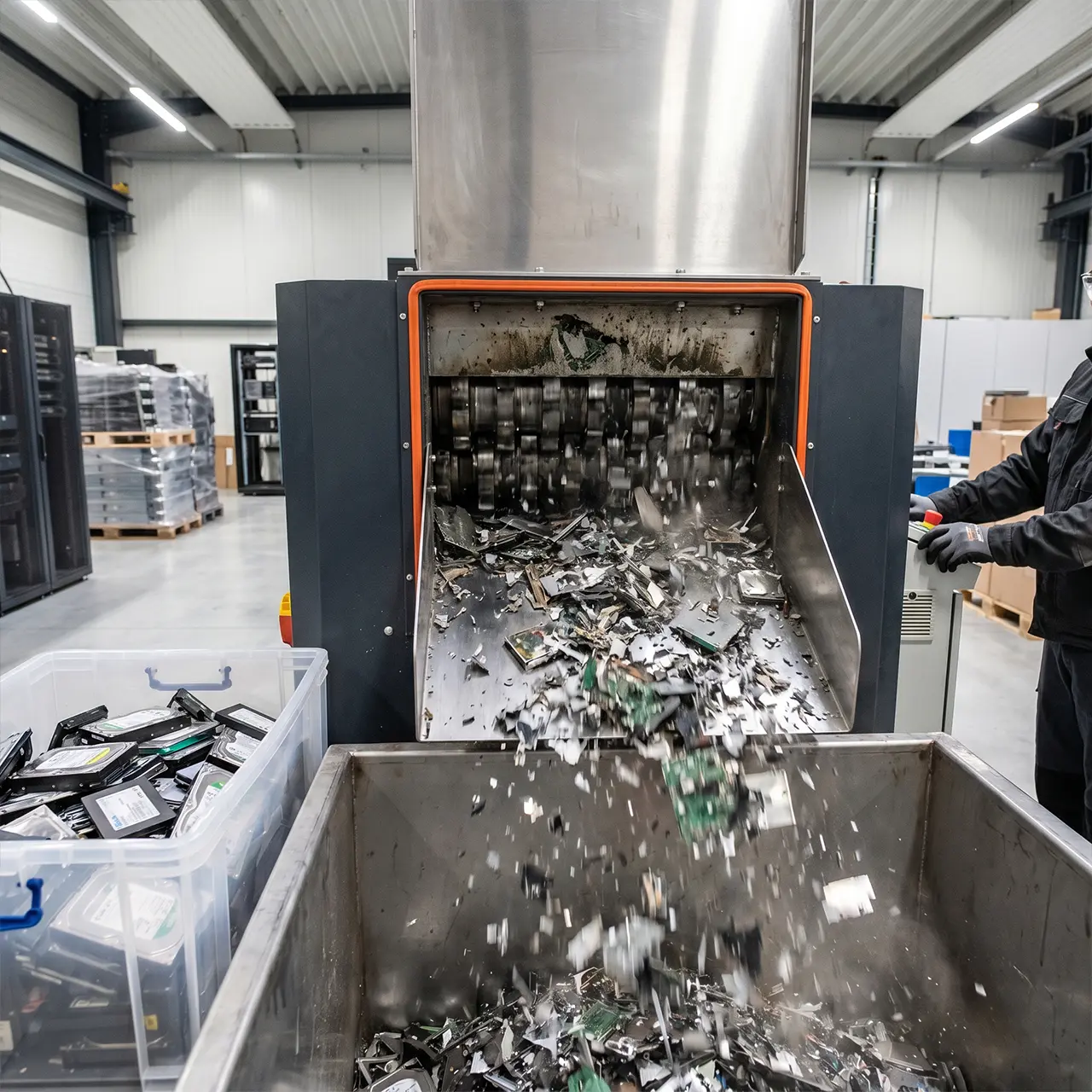
That Old Hard Drive Could Still Contain Your Business Data
Many businesses assume that once a computer, laptop, server, or storage device is no longer being used, the risk disappears.
Unfortunately, that assumption can create serious problems.
Retired technology often contains:
- Customer information
- Employee records
- Financial data
- Emails
- Business documents
- Intellectual property
- Login credentials
If this information falls into the wrong hands, businesses may face operational disruption, reputational damage, financial loss, and compliance concerns.
This is why organisations increasingly invest in certified data destruction Australia services to ensure sensitive information is permanently removed before technology assets leave their control.
In this guide, we’ll explain how secure data destruction works, why it matters, and what businesses should consider when retiring technology assets.
Why Data Destruction Matters More Than Ever
Businesses generate and store more information than ever before.
Even a single laptop or hard drive can contain years of business-critical information.
Common storage locations include:
- Hard drives
- SSDs
- Servers
- Backup devices
- USB storage
- Network storage systems
- Employee devices
Simply deleting files is not enough.
In many cases, deleted information can still be recovered if proper destruction methods are not used.
This is why secure data destruction Australia services have become a critical part of business risk management.
What Is Certified Data Destruction?
One of the most common questions organisations ask is:
What Is Certified Data Destruction?
Certified data destruction is the secure and documented process of permanently removing information from storage devices so that it cannot be recovered.
The process is typically completed using approved destruction methods and includes documentation confirming the destruction activity.
Businesses often require certification to support:
- Data security policies
- Asset retirement procedures
- Risk management frameworks
- Internal governance requirements
The objective is simple:
Ensure sensitive information is permanently destroyed before equipment is reused, recycled, sold, or disposed of.
The Hidden Risks of Improper Data Disposal
Many businesses underestimate the risks associated with retired technology.
Potential risks include:
Customer Information Exposure
Storage devices may contain sensitive customer information that remains accessible.
Employee Data Exposure
Payroll records, HR files, and internal communications may still exist on retired equipment.
Financial Information Risks
Invoices, contracts, banking details, and financial reports can remain stored on devices long after they stop being used.
Intellectual Property Loss
Designs, strategies, operational processes, and confidential business information may be recoverable if devices are not destroyed properly.
These risks highlight why data destruction services Australia remain important for organisations of all sizes.
How Secure Data Destruction Works
Businesses often ask:
How Secure Data Destruction Works
The process generally follows several key stages.
Asset Identification
Devices containing information are identified and documented.
Examples include:
- Laptops
- Desktops
- Servers
- Hard drives
- Storage arrays
- Backup media
Data Assessment
Storage devices are reviewed to determine appropriate destruction methods.
Different technologies may require different approaches.
Destruction Process
Depending on requirements, destruction methods may include:
- Physical destruction
- Certified data wiping
- Drive shredding
- Device destruction
The chosen approach depends on security requirements and asset management objectives.
Verification and Reporting
A documented record is produced confirming destruction activities.
This helps businesses maintain accountability and compliance records.
Data Wiping vs Data Destruction
One of the most common AI search questions is:
Data Wiping vs Data Destruction
Although the terms are often used interchangeably, they are not the same.
Data Wiping
Data wiping uses specialised software to overwrite existing information.
Benefits:
- Device may be reused
- Data becomes inaccessible
- Supports asset recovery strategies
Suitable when businesses plan to redeploy equipment internally or externally.
Data Destruction
Data destruction physically destroys storage media or renders it permanently unusable.
Benefits:
- Maximum security
- Eliminates recovery risks
- Supports high-security environments
Suitable when devices are being permanently retired.
The appropriate method depends on business requirements, security policies, and asset management strategies.
Understanding Hard Drive Destruction
Storage devices often represent the greatest data risk.
Hard Drive Destruction Australia
Hard drive destruction focuses on permanently eliminating information stored on:
- Desktop drives
- Laptop drives
- Server drives
- External storage devices
The goal is to ensure information cannot be reconstructed or recovered.
For businesses handling sensitive information, secure hard drive destruction remains one of the most effective protection measures available.
When Businesses Should Consider Data Destruction
Certified destruction should be considered whenever technology assets are:
Being Replaced
Old devices often contain historical business information.
Being Recycled
Data should be removed before recycling activities begin.
Being Sold
Information should never remain on devices entering secondary markets.
Being Donated
Donated equipment should undergo secure destruction or certified wiping beforehand.
Leaving Secure Environments
Any asset leaving organisational control should be assessed appropriately.
The Role of Data Destruction in IT Asset Management
Data destruction should not be treated as a standalone activity.
It forms part of broader asset lifecycle management.
Businesses often combine:
- Asset tracking
- Asset disposal
- Recycling
- Secure destruction
- Asset reporting
This integrated approach improves visibility and reduces operational risk.
Internal Link: IT Asset Disposal and Management Australia
Why Businesses Use Professional Data Destruction Services
Professional providers help organisations:
- Reduce information security risks
- Improve asset disposal processes
- Support governance requirements
- Strengthen business security
- Maintain documented destruction records
As businesses continue generating larger volumes of information, secure destruction becomes increasingly important.
Final Thoughts
Retired technology should never be viewed as risk-free.
Old laptops, servers, storage devices, and hard drives may still contain valuable information long after they leave daily operations.
Certified destruction helps ensure information is removed permanently, reducing risk and supporting responsible technology management.
Whether retiring a single device or managing large-scale infrastructure upgrades, certified data destruction Australia services provide organisations with a secure and structured approach to protecting sensitive business information.
Certified Data Destruction Australia: Frequently Asked Questions
1. What is certified data destruction?
Certified data destruction is the secure and documented process of permanently removing or destroying data stored on business devices and storage media. The process ensures that sensitive information cannot be recovered and is typically accompanied by a certificate or destruction record confirming that the data has been securely destroyed.
2. How secure data destruction works?
Secure data destruction works by using approved methods to permanently remove information from storage devices. Depending on business requirements, this may involve certified data wiping, physical destruction, hard drive shredding, or device destruction. The process is documented and verified to ensure information can no longer be accessed or recovered.
3. Why businesses need certified data destruction?
Businesses need certified data destruction to protect sensitive information when retiring, replacing, recycling, or disposing of technology assets. Customer records, employee information, financial documents, emails, and business data may remain stored on devices even after they are no longer in use. Certified destruction helps reduce security risks and ensures information is permanently removed.
4. What is the difference between data wiping and data destruction?
Data wiping uses specialised software to overwrite existing information, allowing devices to be reused while making data inaccessible. Data destruction permanently destroys the storage media through physical methods, ensuring the information can never be recovered. Data wiping is often used when equipment will be reused, while data destruction is preferred for assets being permanently retired or disposed of.
5. When should businesses destroy hard drives?
Businesses should consider hard drive destruction when devices are being replaced, recycled, sold, donated, decommissioned, or removed from service. Any storage device containing sensitive business information should be assessed before disposal to ensure confidential data cannot be recovered by unauthorised parties.
6. What devices require secure data destruction?
Any device that stores information may require secure data destruction. This includes hard drives, laptops, desktop computers, servers, solid-state drives (SSDs), backup devices, USB storage devices, network-attached storage systems, and other business technology assets that contain sensitive data.
7. Is deleting files enough to protect business data?
No. Simply deleting files does not permanently remove information from a storage device. In many cases, deleted data can still be recovered using specialised software. Secure data destruction or certified data wiping is required to ensure information is permanently removed and cannot be accessed again.
8. Why use professional data destruction services?
Professional data destruction services provide a structured, secure, and documented process for removing sensitive information from business assets. They help reduce security risks, support internal governance requirements, improve asset disposal processes, and provide businesses with confidence that information has been permanently destroyed before equipment leaves their control.
